The Architect's Toolkit
DeepBrew isn't just a list; it's a reasoning engine. Here is what happens under the hood while you're drinking your coffee.
Nemo-12B Strategic Logic
Our Pro model doesn't just see card names. It understands Archetypes, Mana Curves, and Interaction Density. It builds a deck that isn't just a pile of cards—it's a plan.
Local-Only
Your collection never leaves your hardware. Zero cloud, zero tracking.
Lean Pool Filter
Automatically prunes the "draft chaff" to find the 1% that actually wins.
[DEEPBREW_LOG]: Prioritizing CMC < 3...
[DEEPBREW_LOG]: Win-con identified: Aristocrats...
The Thought Stream
Watch the AI's "brain" in real-time. It explains its reasoning for every card choice, helping you learn the meta while you build.
Page by Page
Every Tool, Explained
01 — Collection
Your Cards,
Your Archive.
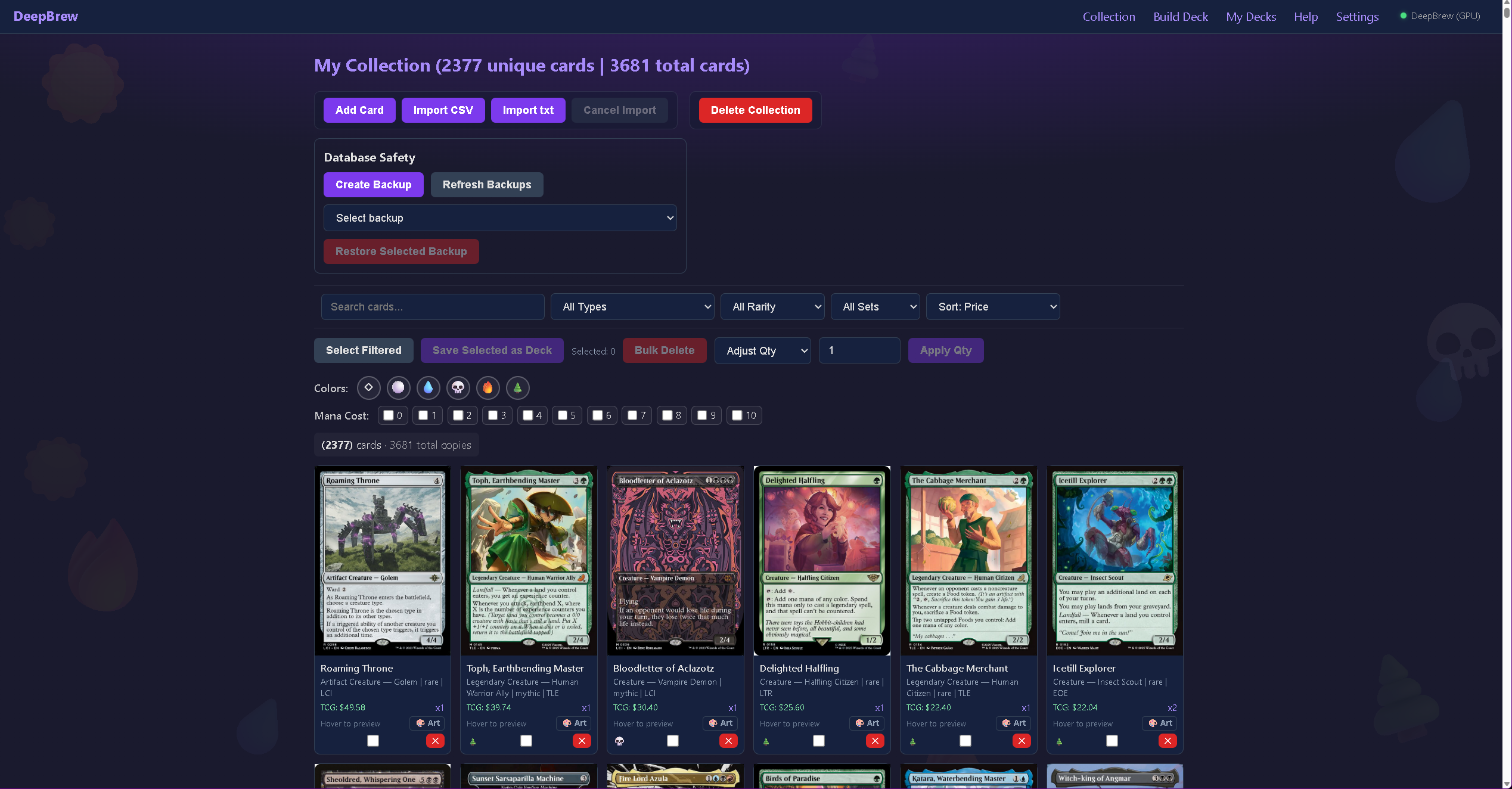
The Collection page is your home base. Import from any major platform, manage your library, and browse with filtering that covers every corner of Magic's card types.
- ✓Multiple import paths — CSV from Moxfield, ManaBox, or Archidekt, or paste a raw list. Scryfall fills in any missing data automatically.
- ✓Backup & restore — export your full collection to CSV at any time and restore from any backup with one click.
- ✓Build from your collection — kick off a deck build from any commander without leaving the page.
- ✓Card art selection — browse all printings for any card and pin your preferred art. Your deck lists always use the version you chose.
- ✓TCGplayer price per card — market price imported with your collection. Total deck value calculated automatically in My Decks.
- ✓Comprehensive sorting — filter by every subtype Magic has, including compound types like Legendary Creature. Every card class, subtype, and supertype is exposed.
02 — Deck Builder
AI Builds.
You Tune.
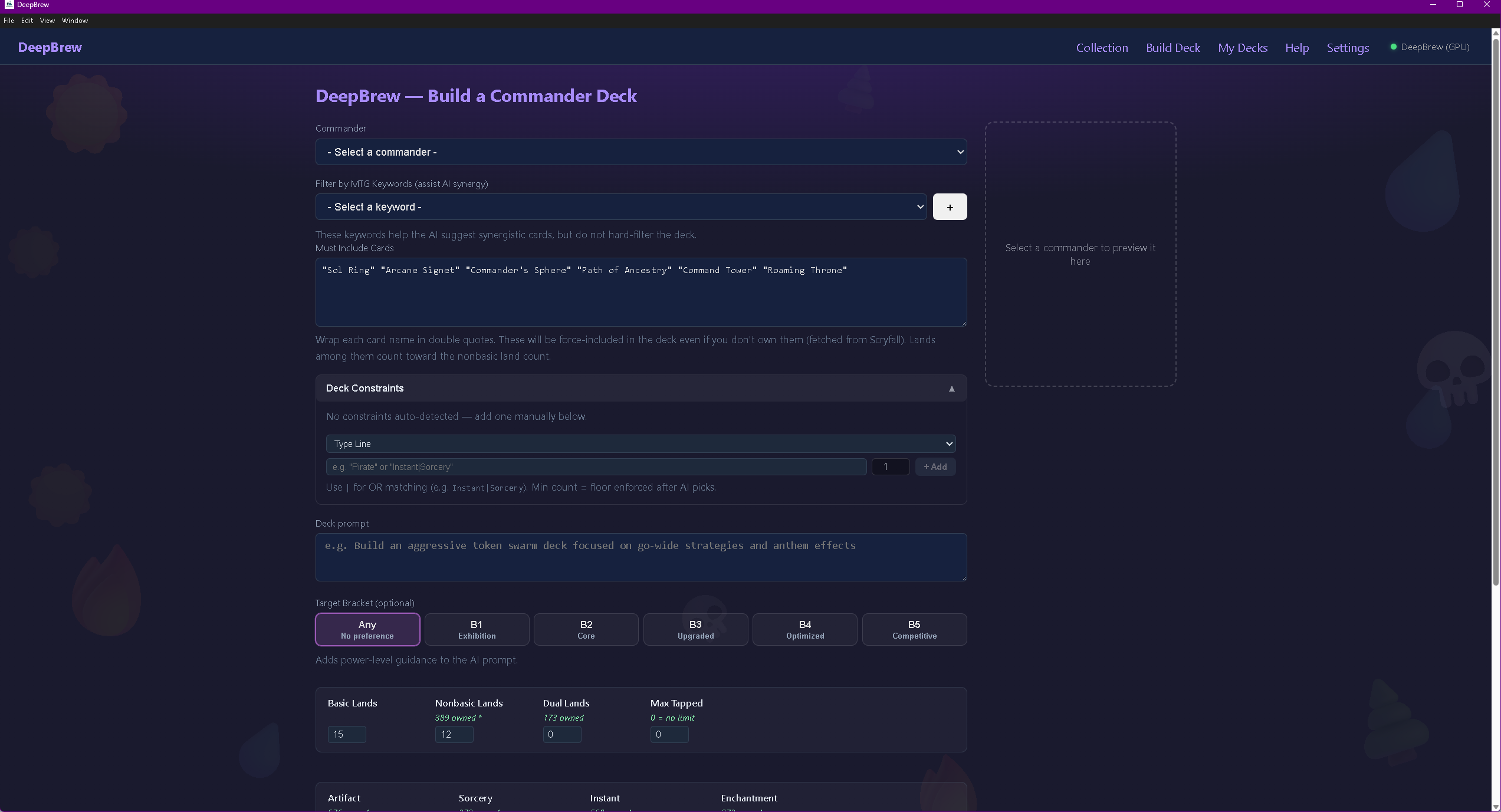
Pick a commander, set your targets, and let the model do the heavy lifting. Every parameter is tunable—you're always in control of what comes out.
- ✓Mana curve optimizer — the AI balances your curve against your target bracket, weighting low-CMC interaction and ramp appropriately.
- ✓Land count controller — set exact targets for basic, nonbasic, and dual lands. The engine hits your numbers every time.
- ✓Keyword archetype filtering — tag your deck by strategy (Sacrifice, Blink, Tokens, +1/+1 Counters, etc.) and the model prioritizes synergy partners from your collection.
- ✓Color identity card count — see exactly how many cards in your collection fit the commander's color identity before you start building.
- ✓Commander oracle text parsing — DeepBrew reads your commander's oracle text and type line to auto-suggest archetype constraints that match what your general actually does.
- ✓Min/max type controls — set floor and ceiling counts for Artifacts, Enchantments, Sorceries, and Instants. The engine enforces your limits post-build.
03 — My Decks
Manage, Analyze,
Iterate.
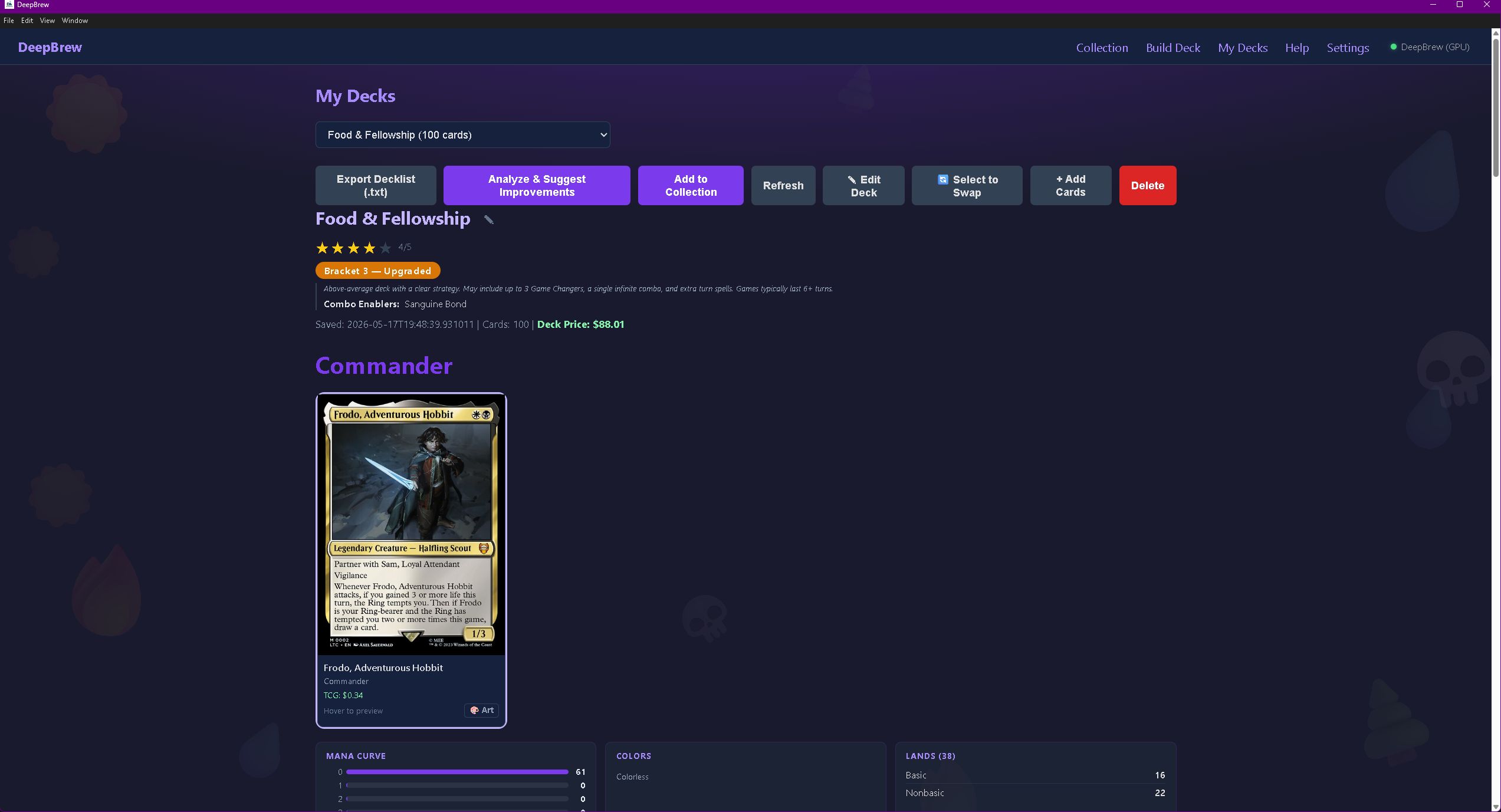
Every saved deck lives here. Browse your library, refine any build after the fact, and call the AI back in to suggest targeted improvements.
- ✓Automatic bracket identification — DeepBrew scans every saved deck against the WotC B1–B5 ruleset and assigns a power bracket automatically.
- ✓Analyze & suggest improvements — one click sends your deck to the AI for a full strategic review with upgrade suggestions from your own collection.
- ✓Targeted swap mode — select specific cards you want replaced, then run Analyze. The AI focuses on exactly those slots—not the whole deck.
- ✓On-the-fly editing — add cards from your collection or delete cards while viewing any deck. Save changes without rebuilding from scratch.
- ✓Rename decks — inline rename with a single click. No dialog, no save button—just type and move on.
- ✓Export decklist — one-click copy in standard Moxfield/EDHREC format, ready to import anywhere.
Choose Your Engine
Every tier ships with a model fine-tuned specifically on Commander deckbuilding. Pro includes both Q3 and Q4 — download whichever fits your GPU.
Mistral 7B Q4
mistral-commander-q4.gguf · ~4 GB
CPU-only: Works, but slower. 16 GB RAM recommended.
Nemo 12B Q3
mtg-commander-nemo-q3_k_m.gguf · ~5.7 GB
Recommended for 8 GB VRAM GPUs
Nemo 12B Q4
mtg-commander-nemo-q4_k_m.gguf · ~7 GB
Best for 10–12 GB VRAM GPUs
Pro includes both Q3 and Q4. Choose at download time based on your hardware. Switch anytime by editing model-select.env.